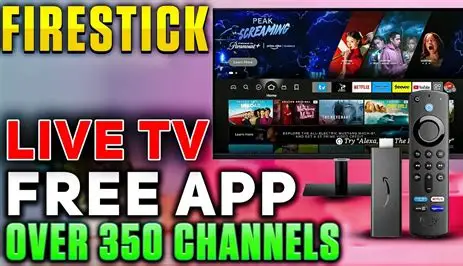
In the ever-evolving world of cord-cutting, finding the right application to consolidate your streaming needs can feel like a quest for the Holy Grail. Enter Gio TV (Full), an app that promises a comprehensive live TV and on-demand experience directly on your Amazon Firestick and other Android TV devices. With a sleek interface and a vast library of content, it positions itself as a one-stop-shop for entertainment. But what exactly is under the hood? This deep dive will explore the features, content, and overall user experience to help you decide if Gio TV is the right fit for your streaming setup.
First impressions are crucial, and Gio TV makes a reasonably good one. Upon launching the app, you're greeted with a modern, tile-based interface that should feel familiar to anyone who has used popular streaming services. The navigation is intuitive, typically categorizing content into logical sections like Live TV, Movies, Series, and often, a "Favorites" or "Recent" section for quick access. This user-centric design minimizes the learning curve, allowing you to jump straight into finding something to watch rather than fumbling through complicated menus. For a Firestick user, where remote navigation is key, this simplicity is a significant advantage.
So, what can you actually watch? The core offering of Gio TV lies in its extensive content library. The app aggregates streams from various sources, providing users with a seemingly endless selection. The live TV section is particularly robust, boasting hundreds of channels from around the globe. You can typically find:
- Popular Network Channels: Streams for major news, sports, and entertainment networks.
- International Content: A strong selection of channels from countries like the UK, Canada, India, and beyond, catering to a diverse audience.
- Specialty & Niche Channels: Everything from 24/7 cartoon streams to dedicated classic movie channels.
Beyond live television, the app shines with its Video on Demand (VOD) library. This section is packed with thousands of movies and complete seasons of TV series, often updated with new releases shortly after they leave the theater or hit other streaming platforms.
A major point of consideration for any app like Gio TV is performance and reliability. The experience can be a mixed bag, largely dependent on the source of the streams. During testing, many channels and VOD content load quickly and play in high definition with minimal buffering, assuming a stable internet connection. However, it's not uncommon to encounter a dead link or a stream that struggles during peak viewing hours. This is the inherent trade-off with free, aggregated apps. The sheer volume of content means that not every single stream will be perfectly optimized at all times.
When it comes to setup, Gio TV is relatively straightforward for those familiar with sideloading on Firestick. Since it's not available on the official Amazon Appstore, you must download it from a third-party source using the "Downloader" app. The process involves:
- Enabling installation from "Unknown Sources" in your Firestick's settings.
- Entering the download URL for the Gio TV APK file.
- Installing the app and launching it.
While not complicated, this extra step may be a barrier for less tech-savvy users. Furthermore, it's highly recommended to use a reliable VPN service when using apps like Gio TV. A VPN not only helps protect your privacy but can also help bypass potential ISP throttling that might cause buffering.
How does it stack up against the competition? The market for all-in-one streaming apps is crowded, with names like Cinema HD, CyberFlix, and others being popular choices. Gio TV holds its own, primarily through its strong integration of both live TV and a massive VOD library within a single, cohesive interface. While some apps might specialize in one area (e.g., a better movie scraper or a more stable live TV section), Gio TV's strength is its comprehensiveness. It may not be the absolute best in every single category, but its "jack-of-all-trades" approach is its biggest selling point.
It is impossible to discuss an app like this without addressing the legal and ethical gray area it occupies. Gio TV is a free app that does not host any content itself. Instead, it acts as an aggregator, pulling streams from various sources across the internet. The legality of these sources is often unclear and rarely verified. While using the app is generally low-risk for the end-user, it's important to understand that you are not accessing content through official, licensed distributors. Supporting official services ensures that creators and rights holders are compensated for their work.
So, is Gio TV (Full) worth downloading? The answer depends entirely on your needs and expectations. If you are a cord-cutter looking for a free, all-in-one solution with a massive amount of live and on-demand content and you are comfortable with occasional technical hiccups and the ethical considerations, then Gio TV is certainly worth exploring. Its user-friendly interface and vast library are impressive. However, if you prioritize 100% reliability, crystal-clear picture quality on every stream, and want to stay strictly within legal boundaries, you are better served by official subscriptions like Netflix, Hulu, YouTube TV, or Sling TV. Gio TV is a powerful tool in the cord-cutter's arsenal, but like any tool, it's best used with a clear understanding of its capabilities and its limitations.